Public SMS Consent Evidence
PAWTAL SMS Opt-In Process
PAWTAL employees control whether they receive SMS notifications for scheduling, shift reminders, open shifts, shift changes, and company announcements. SMS notifications are optional and require explicit in-app consent.
Last updated: May 11, 2026
Program overview
PAWTAL is an employee operations platform used by veterinary clinics to manage staff scheduling, shift reminders, open shifts, shift changes, and internal company announcements.
PAWTAL SMS notifications are only available to employees of veterinary clinics that use PAWTAL. Employees are not automatically enrolled in SMS notifications.
How to opt in
To opt in, an employee must complete each step inside their authenticated PAWTAL account:
- Sign in to the employee's PAWTAL account.
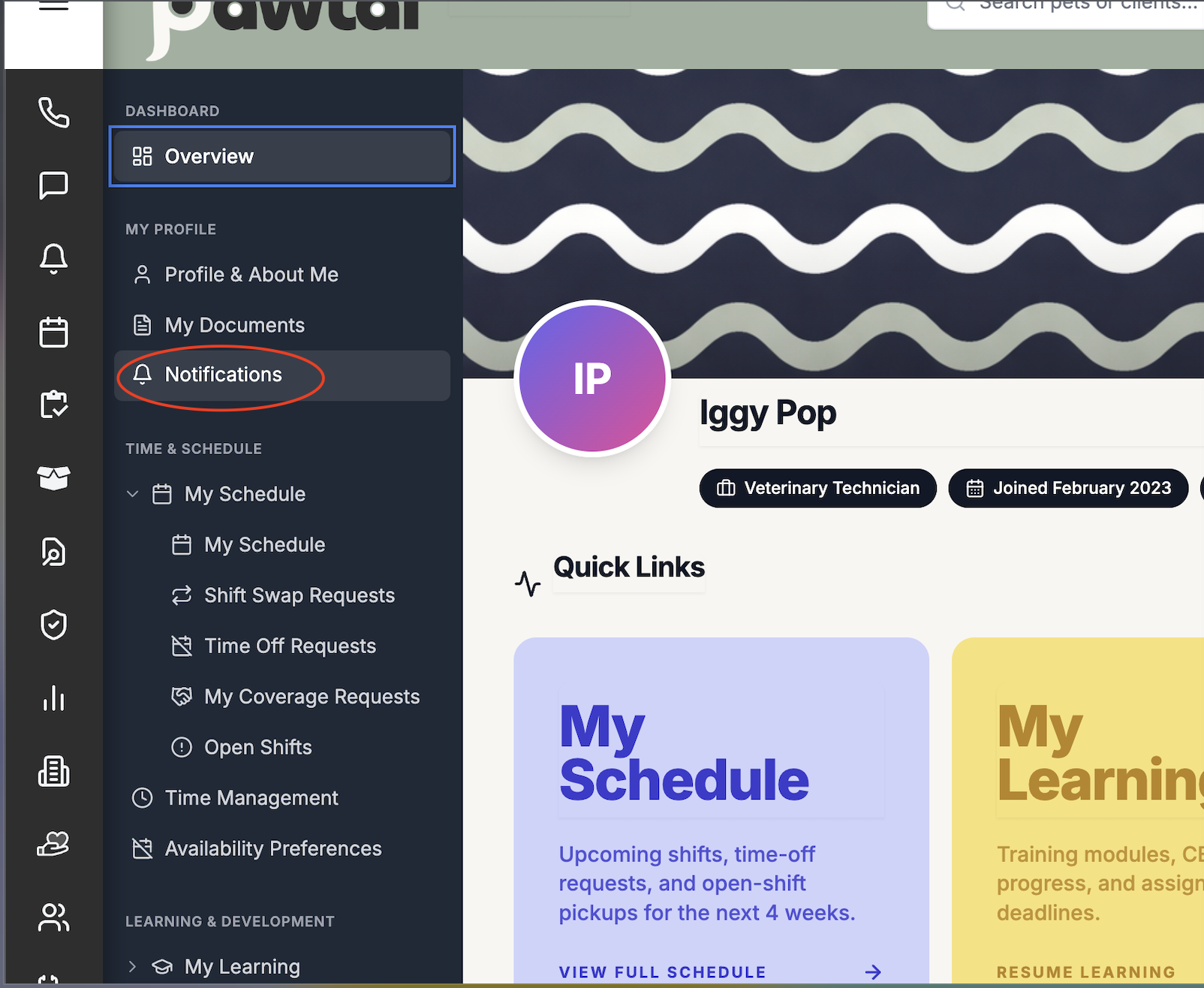
- Go to Employee Hub > Notifications.
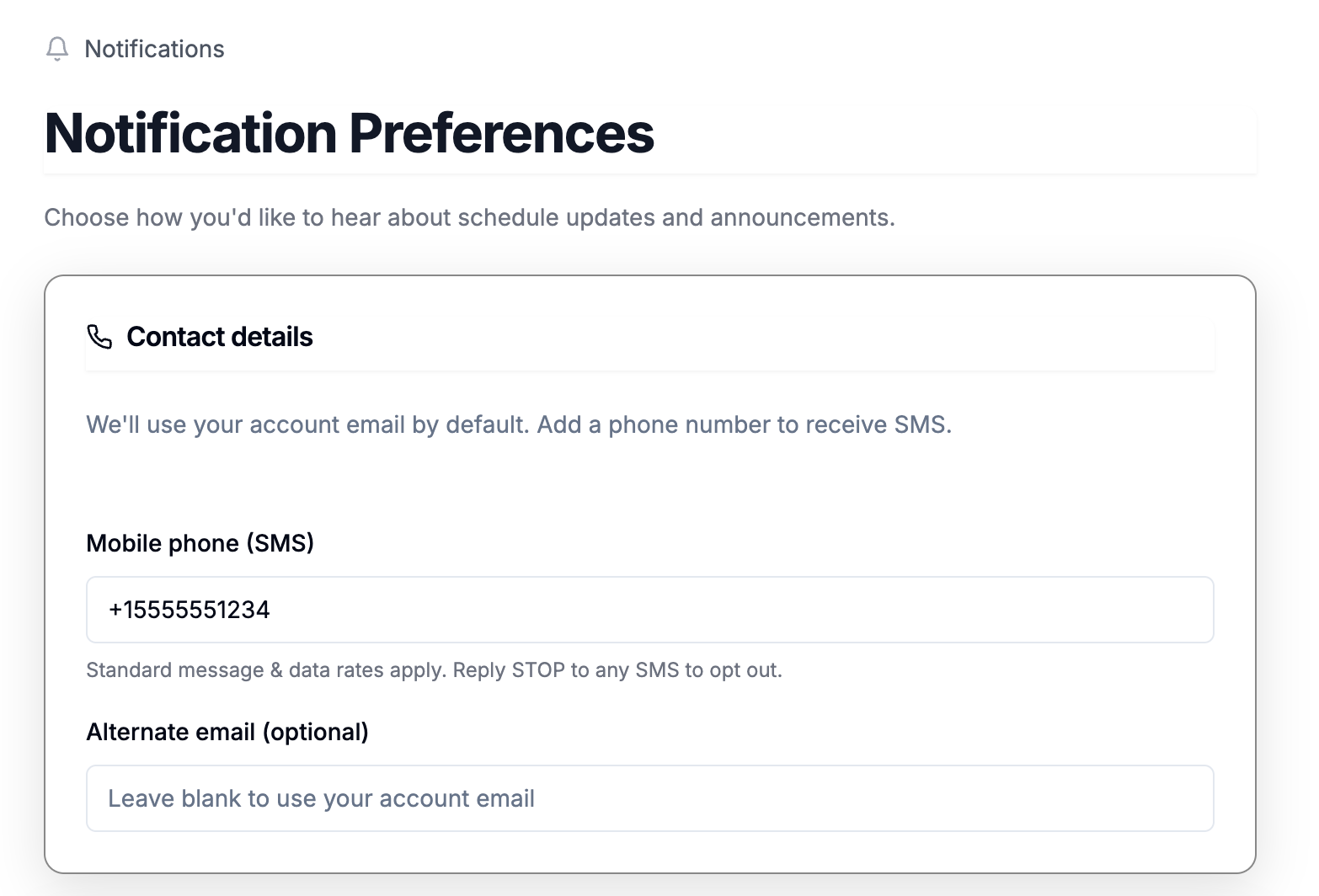
- Enter and save a valid mobile phone number.
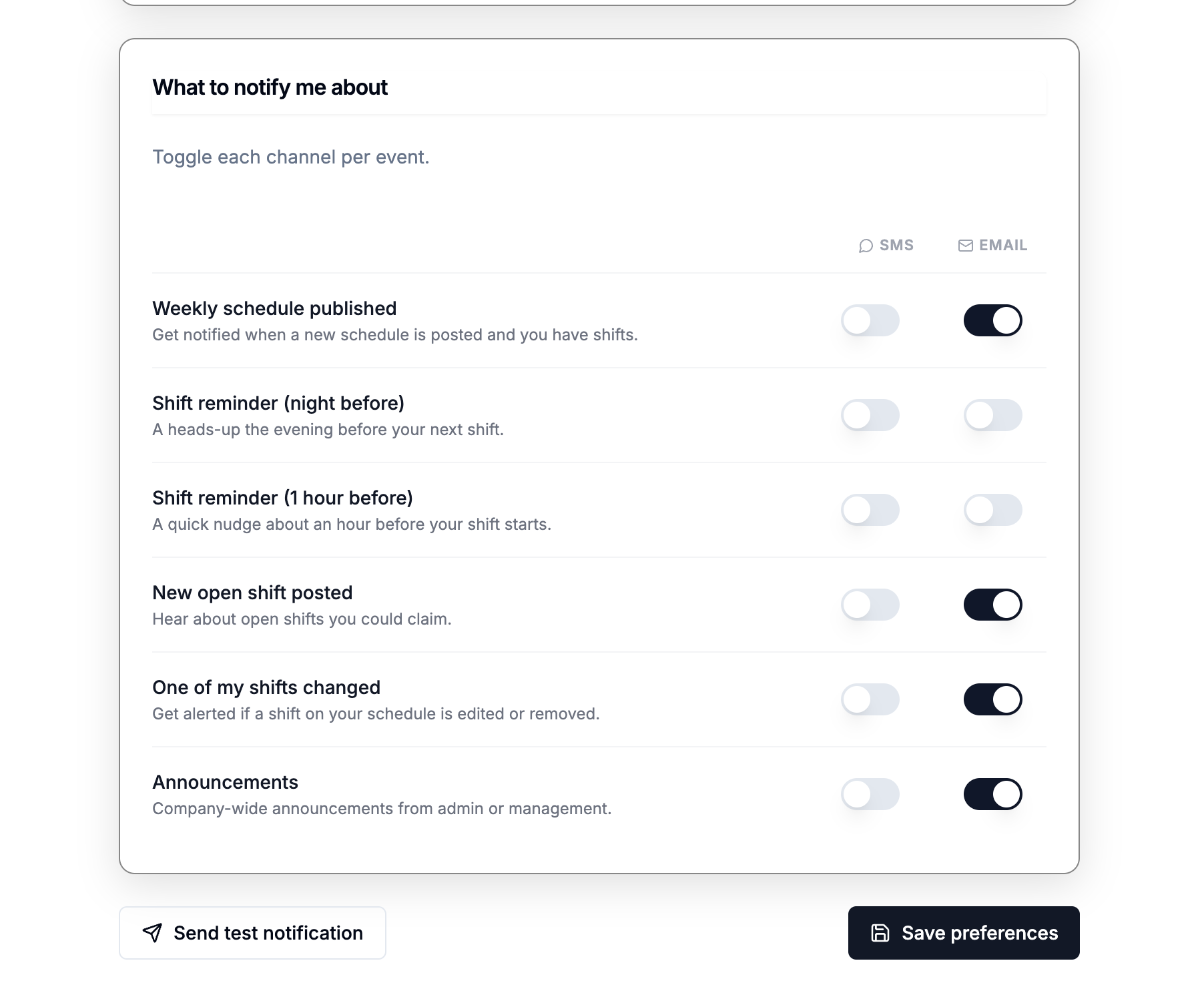
- Confirm that SMS notification categories are OFF by default.
- Turn ON only the SMS notification categories the employee wants to receive.
- Review the SMS Consent disclosure.
- Check the SMS Consent checkbox.
- Click Save Preferences.
Important consent rules
- SMS notification categories are OFF by default.
- Each SMS category is independently controlled.
- Enabling one SMS category does not enable any other category.
- Employees can use PAWTAL without enabling SMS notifications.
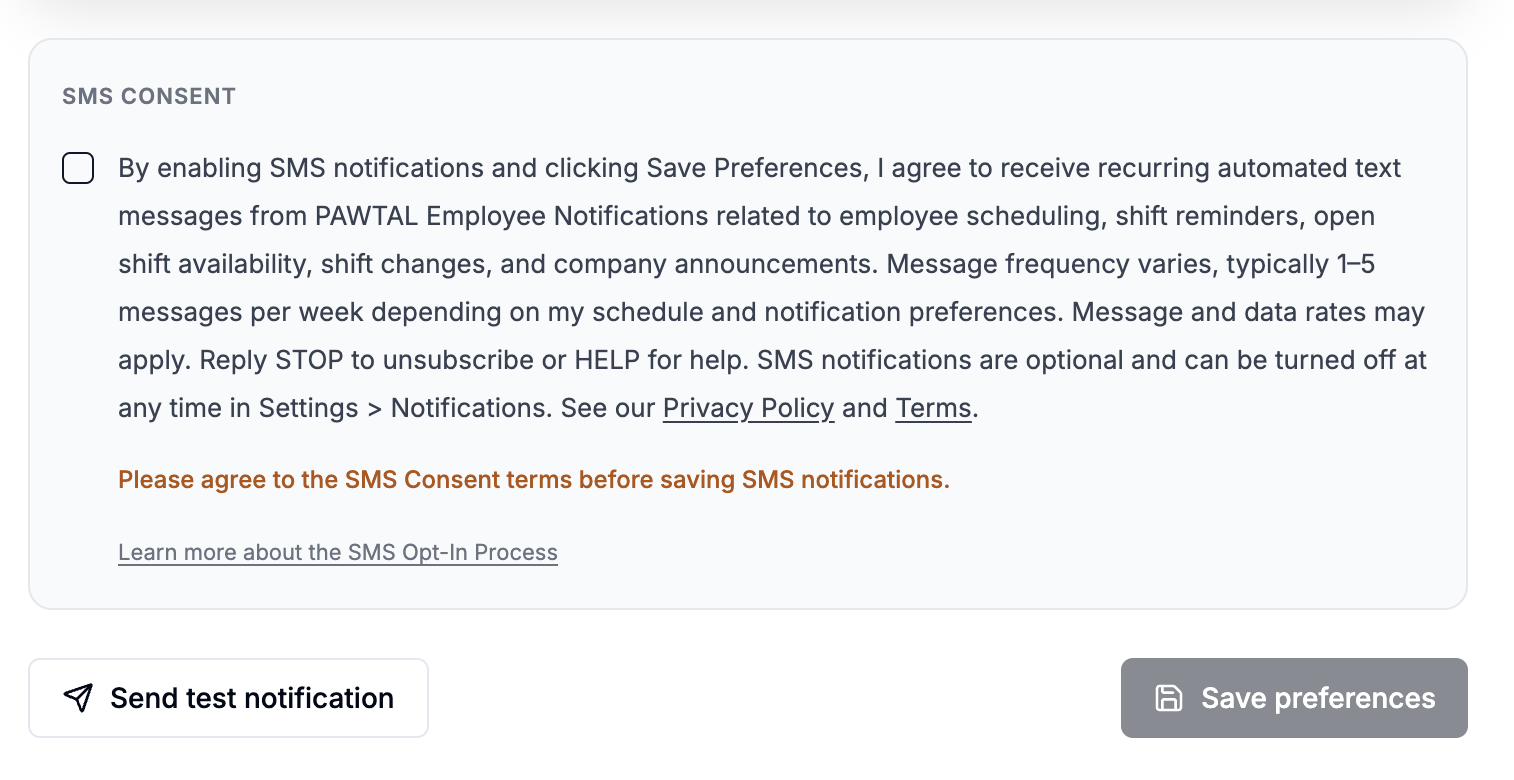
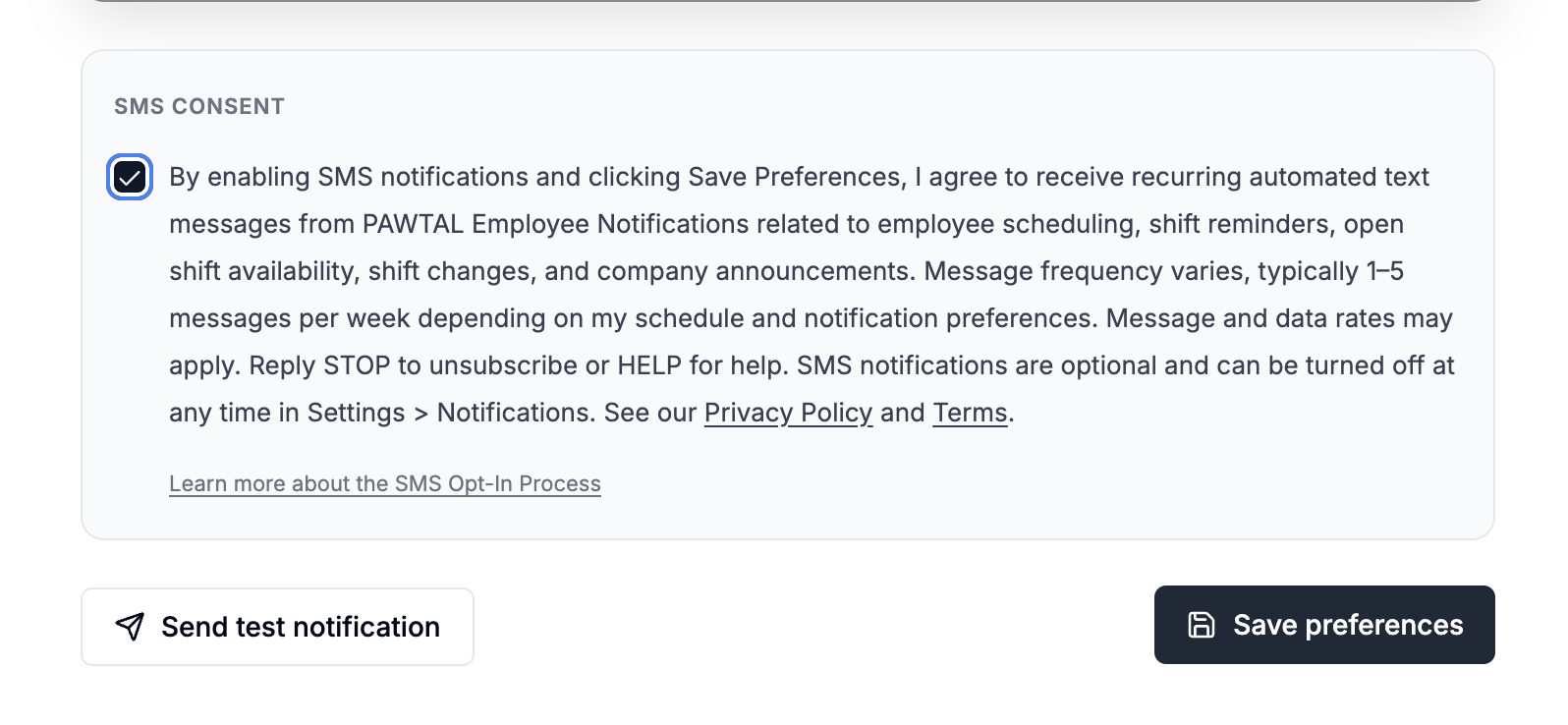
- The Save Preferences button is disabled until SMS Consent is checked for SMS opt-in changes.
Screenshot walkthrough
These screenshots correspond to the opt-in steps above and show exactly where an employee provides their phone number, selects SMS categories, grants consent, and saves preferences.
Screenshot 1
Employee Hub > Notifications
Screenshot 2
Phone Number Entry
Screenshot 3
SMS Toggles OFF by Default
Screenshot 4
At Least One SMS Toggle ON
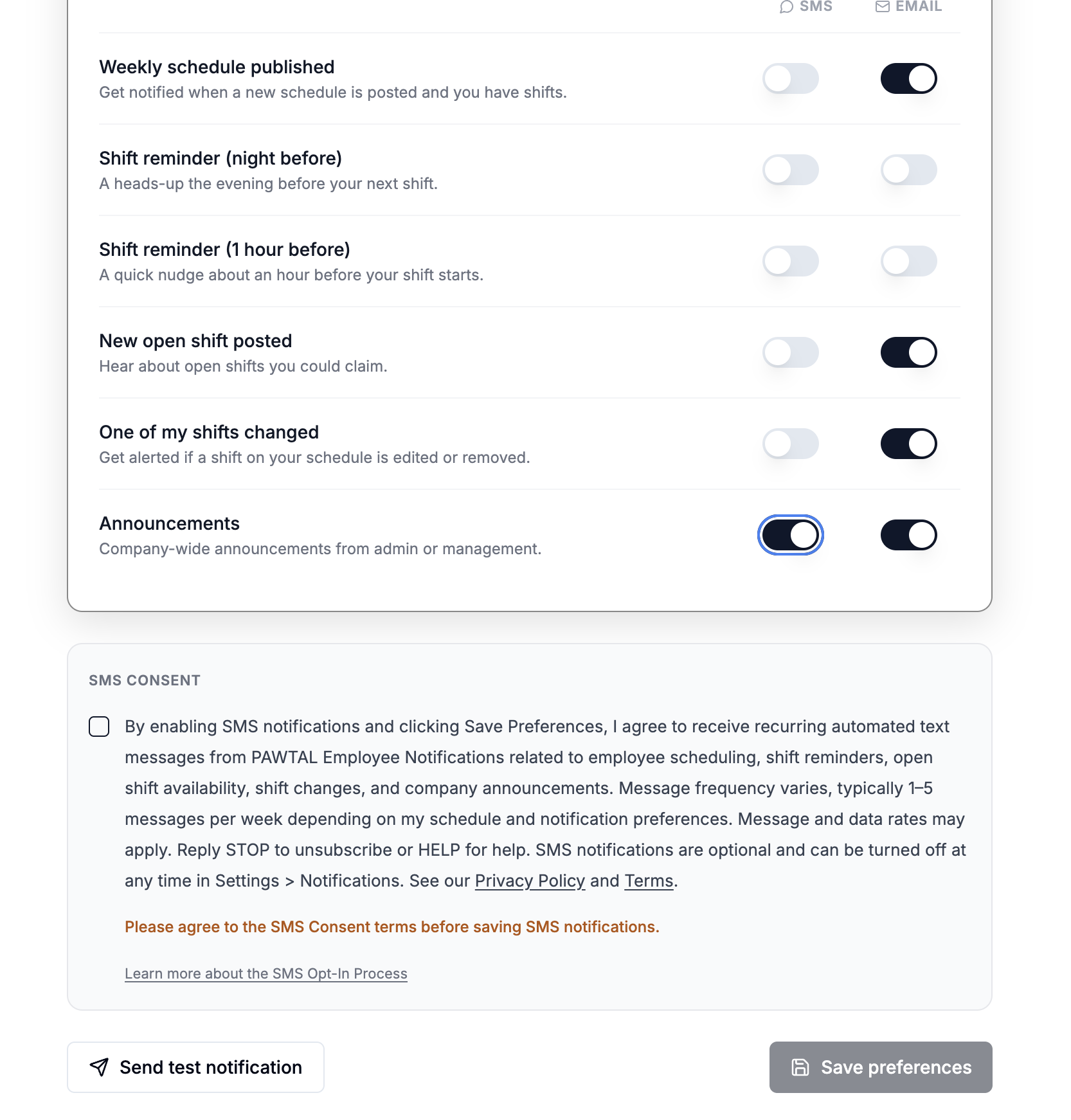
Screenshot 5
Consent Unchecked, Save Disabled
Screenshot 6
Consent Checked, Save Enabled
Consent behavior
SMS notification categories are OFF by default. Each SMS category is independently controlled. Enabling one SMS category does not enable any other category. Employees can use PAWTAL without enabling SMS notifications.
SMS Consent Disclosure
By enabling SMS notifications and clicking Save Preferences, I agree to receive recurring automated text messages from PAWTAL Employee Notifications related to employee scheduling, shift reminders, open shift availability, shift changes, and company announcements. Message frequency varies, typically 1–5 messages per week depending on my schedule and notification preferences. Message and data rates may apply. Reply STOP to unsubscribe or HELP for help. SMS notifications are optional and can be turned off at any time in Settings > Notifications. See our Privacy Policy and Terms.
How to opt out
An employee may revoke consent at any time through any of the following paths:
- Toggle any SMS category OFF on the in-app Notifications page and click Save Preferences.
- Reply STOP, END, CANCEL, UNSUBSCRIBE, or QUIT to any PAWTAL SMS. The opt-out is honored immediately at the carrier platform level and recorded by PAWTAL to prevent future sends.
- Reply HELP to any PAWTAL SMS for program information and support contact details.
- The employing veterinary clinic can globally disable staff SMS notifications for the entire tenant through an admin settings page. When disabled at the tenant level, no SMS is sent to any employee of that clinic regardless of individual opt-in state.
References
- Privacy Policy: https://www.pawtal.com/privacy
- Terms: https://www.pawtal.com/terms
- Support: support@pawtal.com